Finance

ADHD Budget Planner App

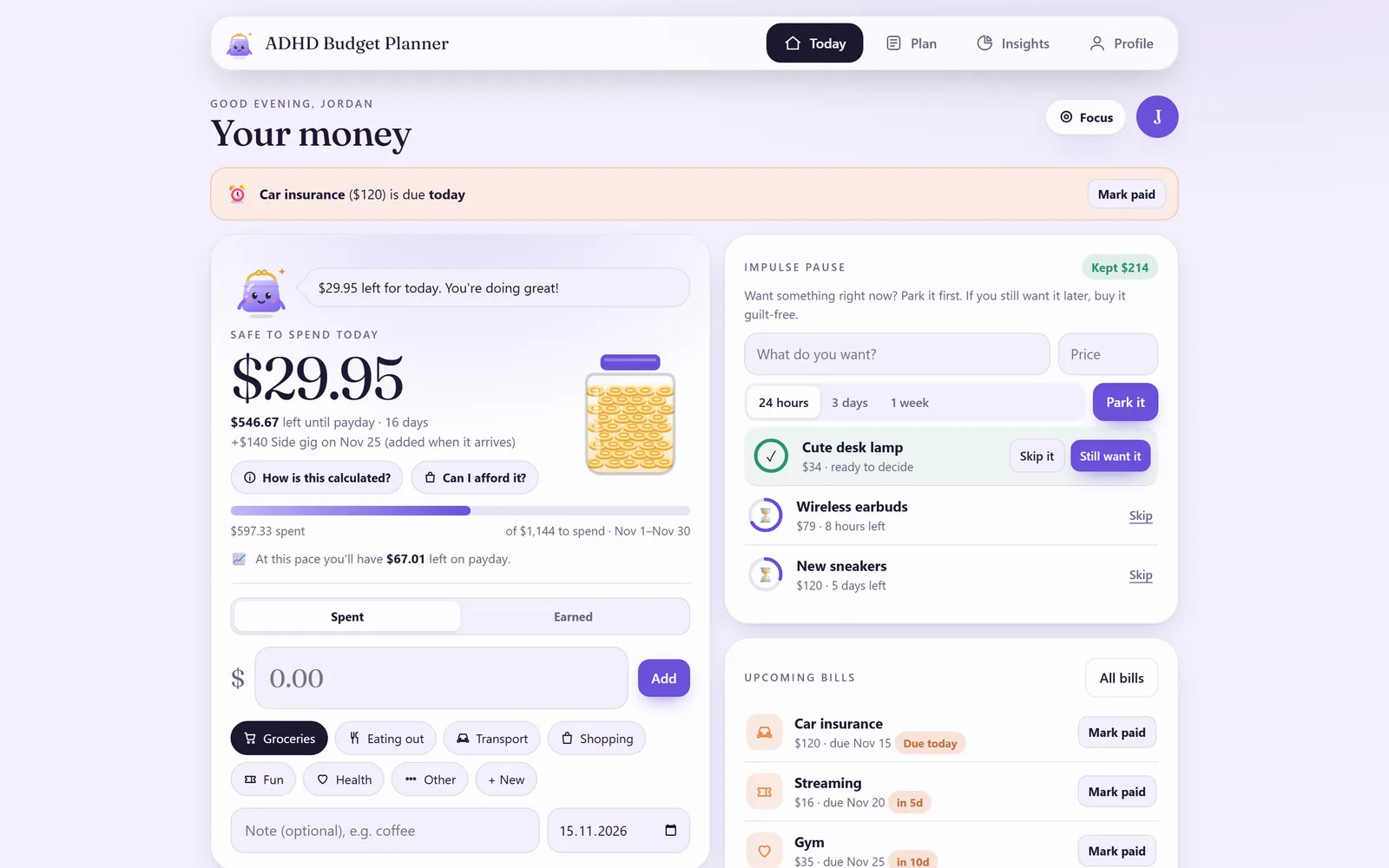
One number a day: what's safe to spend. No overwhelm. A web app for phone and computer: no download, no account, no subscription.

  • One-time purchase
  • No subscription
  • Works offline
  • Private on your device
ADHD Budget Planner app screen

ADHD Budget Planner at a glance

Estimate daily spending money, track bills and pause impulse purchases.

Format
Browser app for phone, tablet and computer
Purchase
One-time purchase on Etsy; a PDF provides the app access link
Records
Saved in this browser on this device; no automatic cross-device sync
Backup
Export a backup before clearing browser data or changing devices
How it works
Log transactions or import a supported CSV. No bank login or live bank sync.

Access, installation and backup help · App or spreadsheet: which fits?

On every screen

Your phone, your laptop, your call.

ADHD Budget Planner on a laptop
ADHD Budget Planner on a phone

About the app

Why you will love it.

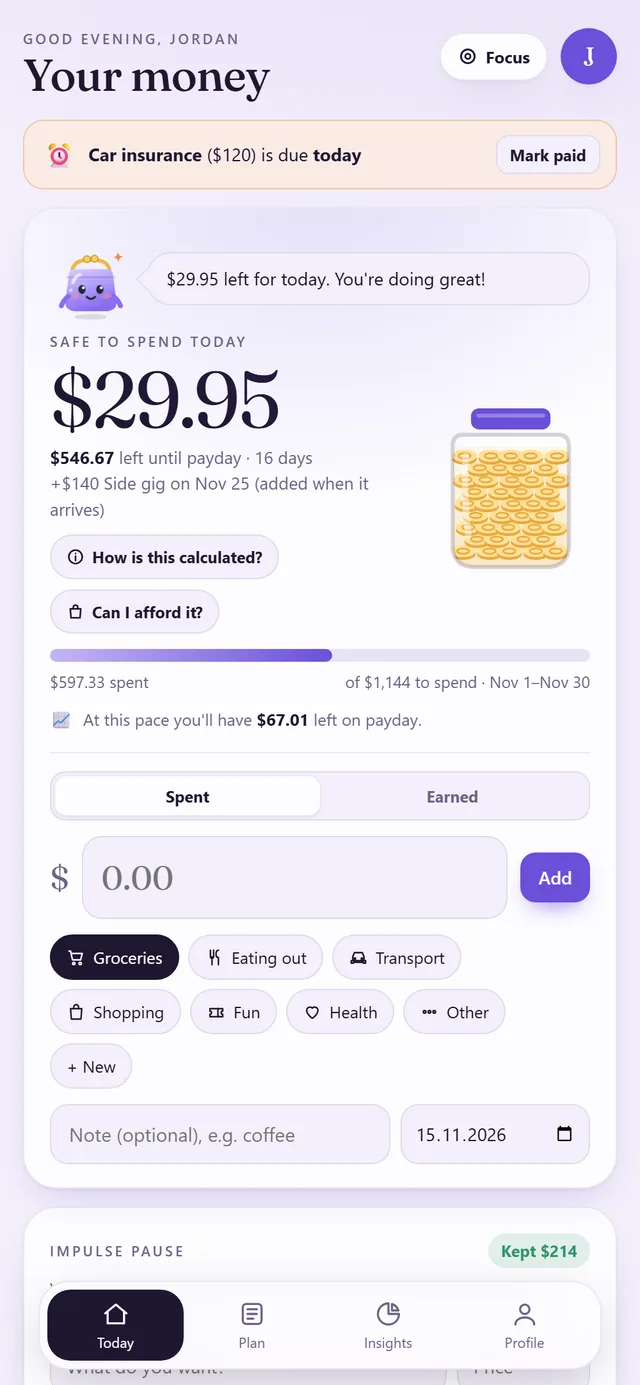
Estimate daily spending money, track bills and pause impulse purchases. Log transactions or import a supported CSV. No bank login or live bank sync.

Meet Kip, your little coin purse. Budgeting that works with your brain: tell Kip how you get paid and what your bills are, and you get one simple number every day, what's safe to spend. Park impulse buys in Impulse pause and decide later, import your bank statement from a CSV file in seconds, switch on Focus mode when the screen feels like too much and do a 5-minute money reset every week. Bills, savings jars, debt payoff (snowball or avalanche), a spending calendar and your whole year are all included. No spreadsheets, no bank login, no subscription.

  • Safe to spend, every single day
  • Impulse pause before you buy
  • Import your bank statement
  • Bills, savings jars and debt payoff
  • Focus mode and a weekly reset
  • Spending calendar and yearly view

A budget app that tells you what's safe to spend

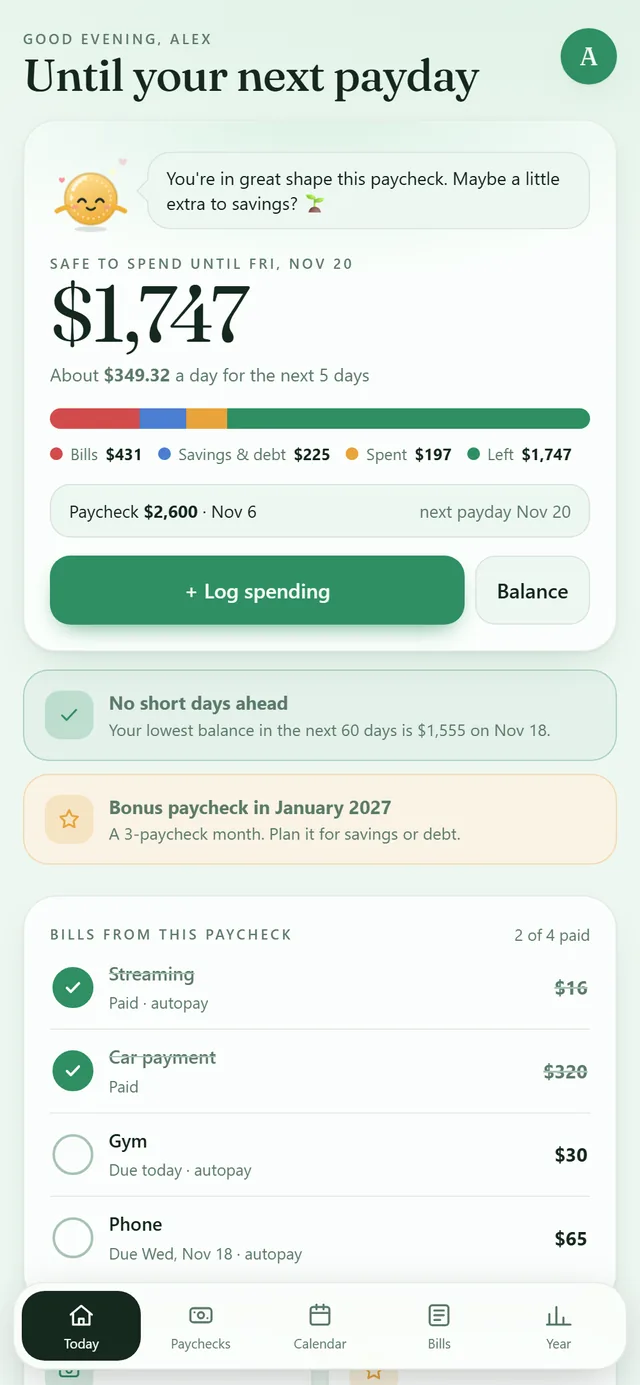
Most budget spreadsheets show you lots of numbers. Budget Tracker shows you the one that matters: how much you can spend today and still stay on track until payday. It takes your income, sets money aside for bills, savings and debt, spreads the rest over the days you have left and forecasts how you'll finish the month.

Paycheck budgeting, monthly, biweekly or weekly

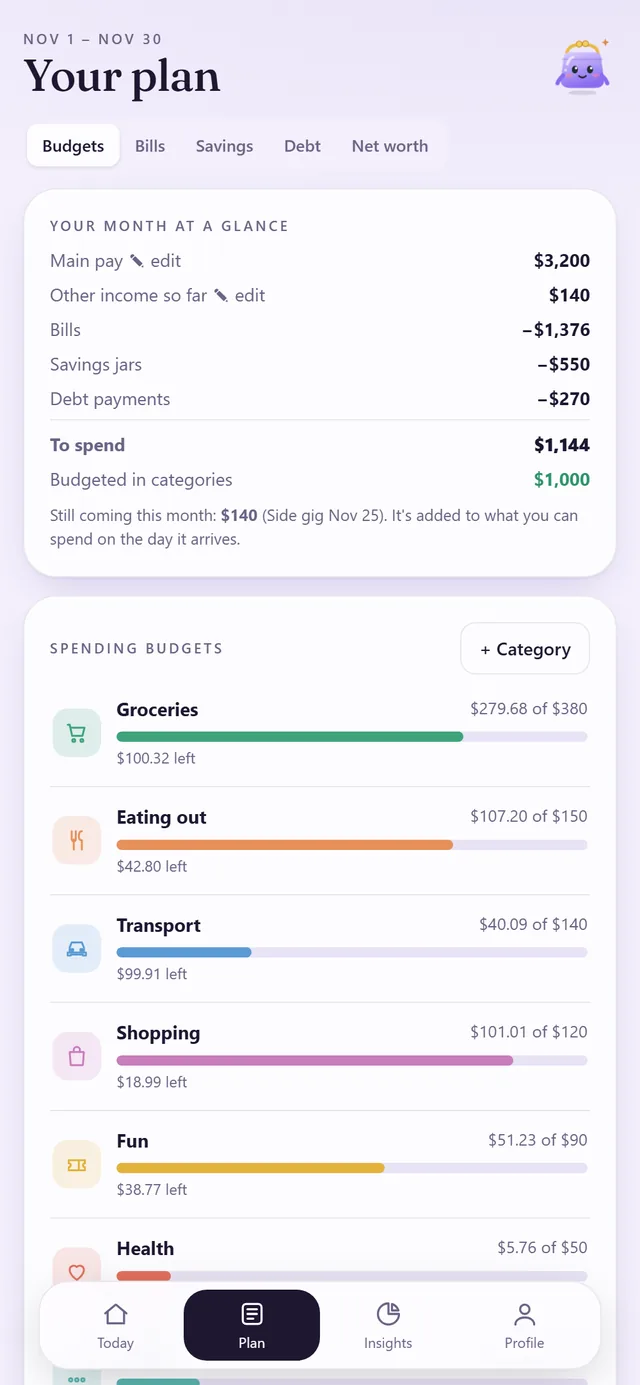
Your budget follows your paycheck. Every payday starts a fresh period, and only the bills due before your next payday are counted. Set spending budgets for groceries, eating out, transport and more, and see each one fill as you spend.

Insights a spreadsheet can't give you

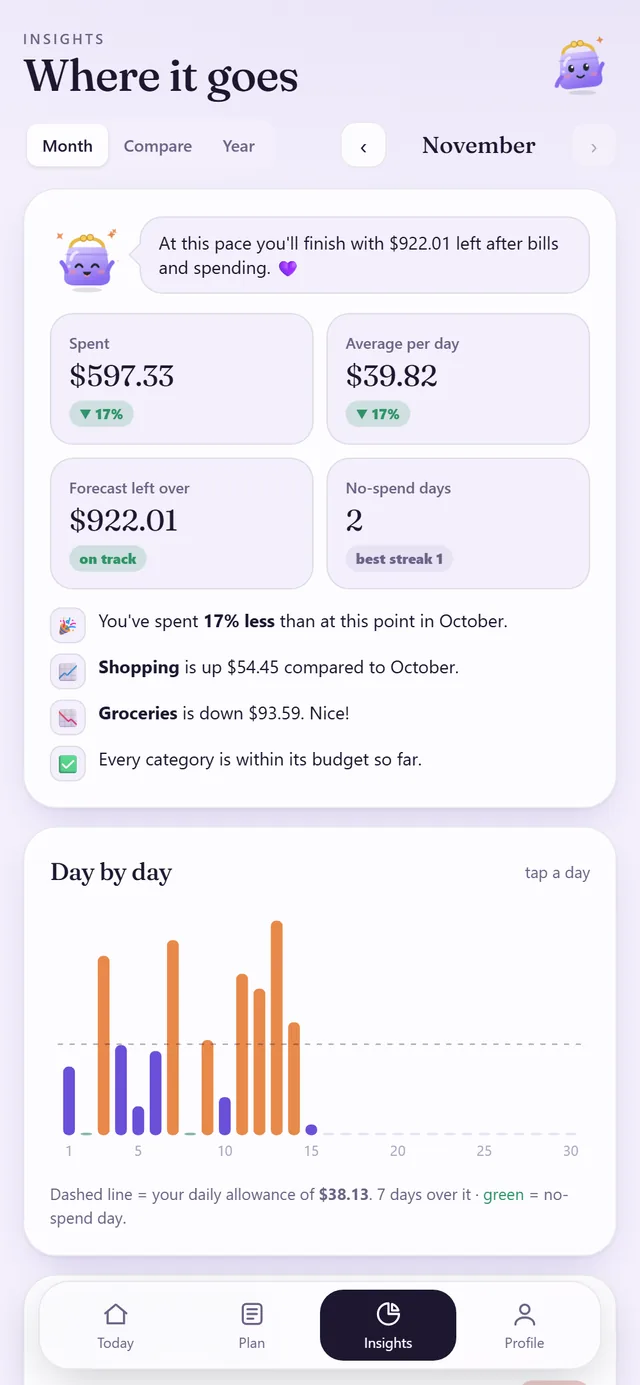
Tap any day on the spending calendar to see exactly what you spent. Compare this month with last month, your 3-month average or the same month last year, category by category. The yearly overview shows money in, bills, spending and what's left for every month, just like an annual budget spreadsheet, but filled in for you.

Savings jars and a debt payoff plan

Make a jar for an emergency fund, a trip or a new laptop and watch it fill with coins. Add your debts and choose the snowball method (smallest balance first) or the avalanche method (highest interest first). When one debt is paid off, its payment rolls over to the next, and you see your debt-free date.

Private, simple and no subscription

Budget Tracker is a web app: it opens in your phone's browser and lives on your Home Screen like any app. No bank login, no account and no subscription. Your data stays on your own device, and you can export it to a spreadsheet any time.
Try our free budget calculator →

What is a web app?

An app that opens in your browser.

ADHD Budget Planner is a web app. You open your private link once in your browser, tap Add to Home Screen, and it gets its own icon and opens full screen like any other app. Your Etsy download is a PDF with the app access link. There is no app account or subscription. Records stay in your browser, with no automatic device sync. Offline use requires initial loading and caching; online features still need internet. Read the setup and backup guide.

FAQ

Questions about ADHD Budget Planner

What makes it ADHD-friendly?

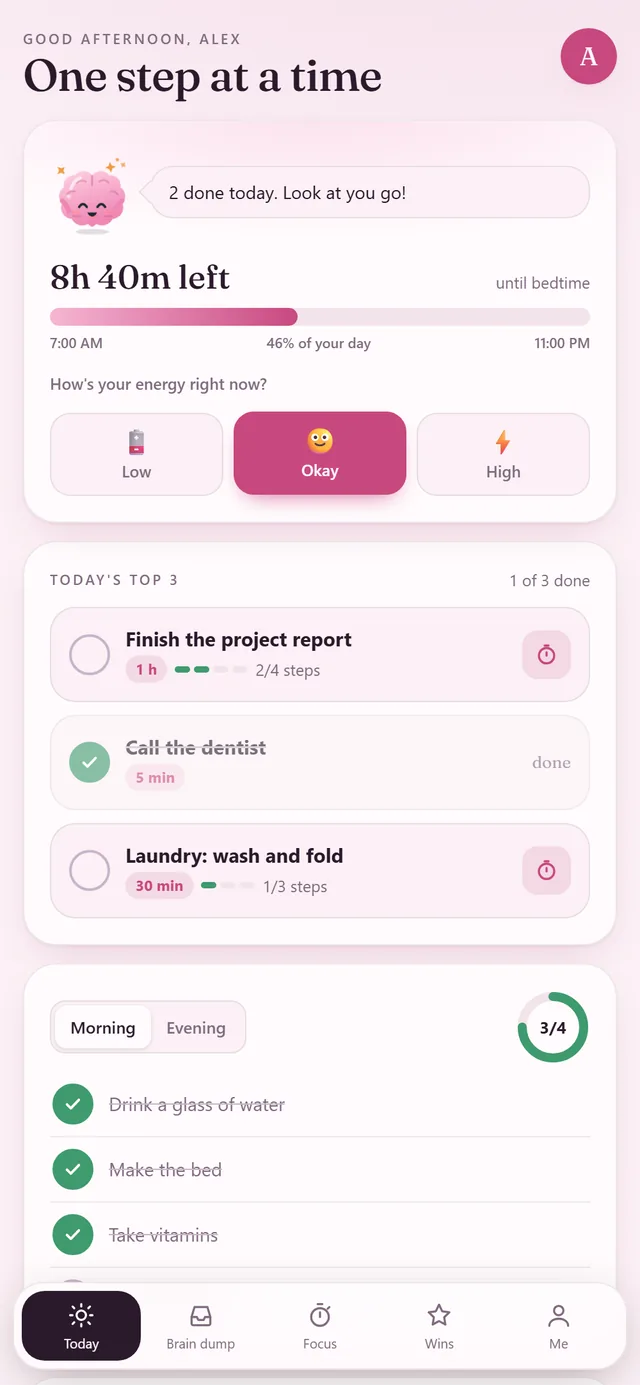
It shows one number a day instead of a wall of cells, logs a spend in two taps, has a Focus mode that hides everything else, an Impulse pause for 'need it now' moments and a short weekly reset checklist with a streak. Kip, the little coin purse, cheers you on and never shames you.

Do I need to connect my bank?

No. Type spends in seconds, or download a CSV statement from your bank and import it. The file is read on your device only and nothing is uploaded.

Does it work if I'm paid every two weeks?

Yes. Choose monthly, every 2 weeks or weekly. Your budget starts fresh every payday and only counts the bills that fall in that paycheck.

Is it a subscription?

No. It's a one-time purchase. Open it on your phone and computer, add it to your Home Screen and it works offline.

Are these apps or spreadsheets?

Both are available as separate products. Browser apps open from an access link and use their own interactive interface. Spreadsheets open in Excel or Google Sheets. Each product page identifies the format.

What do I receive after buying an app?

Etsy provides a PDF containing the purchased app link and quick-start instructions. Open the link in your browser; no App Store installation or app account is required.

Is there a subscription?

The listed apps are one-time purchases on Etsy, with no app subscription. Check the Etsy listing for the current price and included product.

Where are app records saved? Do devices sync?

Records are saved in the browser on the device you use. There is no automatic cross-device sync. Export a backup before clearing site data or moving devices, then restore it in the same app.

More from CuteTrackerApp

Meet the family.