Education

Homeschool Planner App

A homeschool plan that moves with you. A web app for phone and computer: no download, no account, no subscription.

  • One-time purchase
  • No subscription
  • Works offline
  • Private on your device
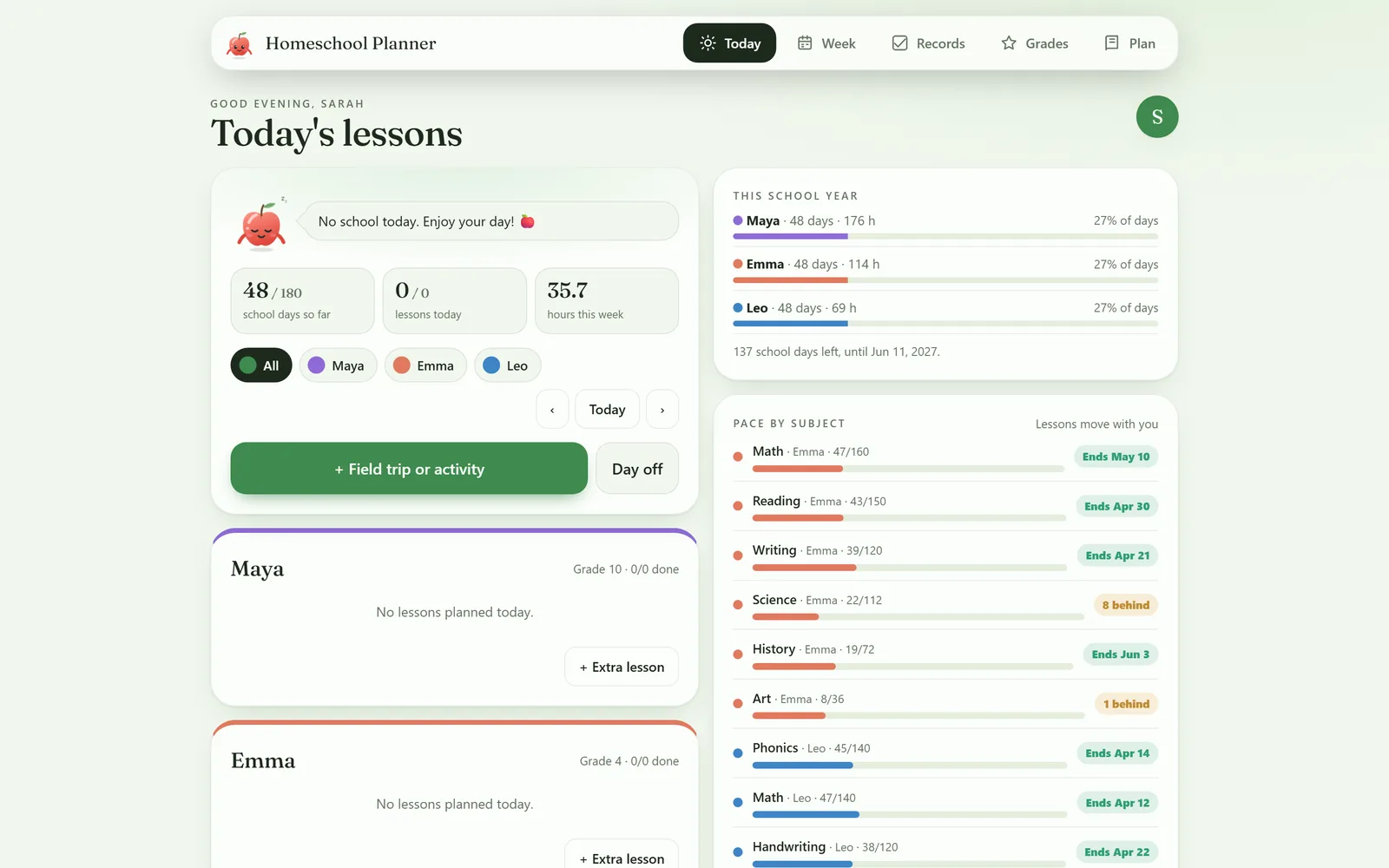
Homeschool Planner app screen

Homeschool Planner at a glance

Plan lessons for multiple children and keep attendance, hours and grade records together.

Format
Browser app for phone, tablet and computer
Purchase
One-time purchase on Etsy; a PDF provides the app access link
Records
Saved in this browser on this device; no automatic cross-device sync
Backup
Export a backup before clearing browser data or changing devices
How it works
Enter your own lessons and records; local requirements are not checked automatically.

Access, installation and backup help · App or spreadsheet: which fits?

On every screen

Your phone, your laptop, your call.

Homeschool Planner on a laptop
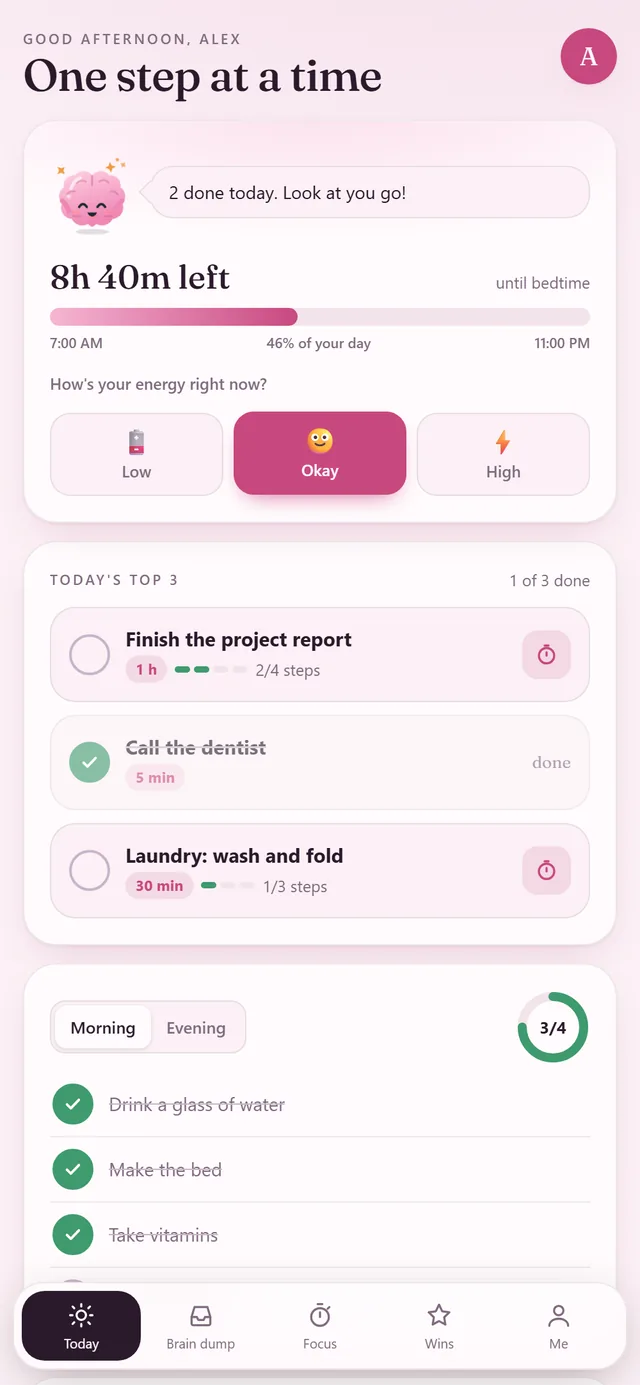
Homeschool Planner on a phone

About the app

Why you will love it.

Plan lessons for multiple children and keep attendance, hours and grade records together. Enter your own lessons and records; local requirements are not checked automatically.

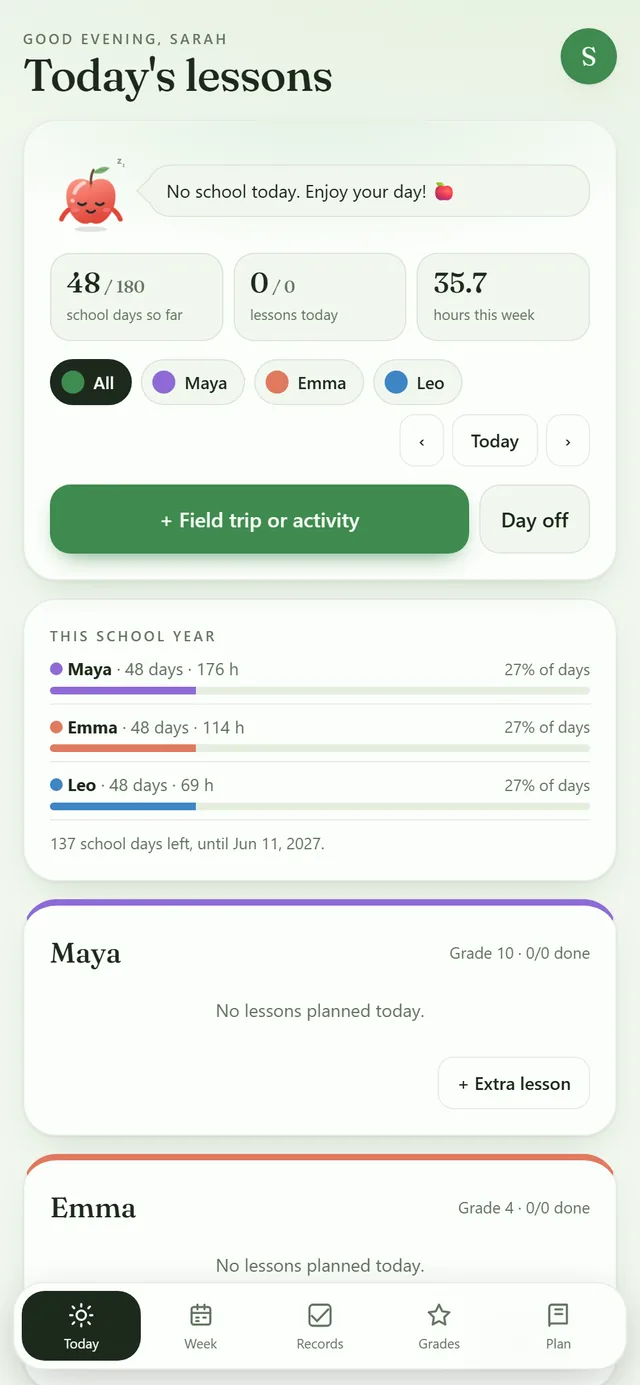
Meet Crisp, your little apple helper. Add your children and subjects and every lesson is numbered for you. Tick lessons as you go and attendance and hours fill in by themselves, against 180 days, 1,000 hours or whatever your state asks for. Missed a day? Lessons shift on their own, so you never rewrite a plan. Print weekly checklists for your kids, attendance and hours records, report cards and a high school transcript with GPA. Private, on your device, no subscription.

  • Lesson plans for every child, numbered for you
  • Missed a day? Lessons shift, no rewriting
  • Attendance and hours kept as you tick lessons
  • 180 days, 1,000 hours or your own goal
  • Pace: see which subject is behind
  • Report cards, transcript with GPA and reading log

Lessons for every child

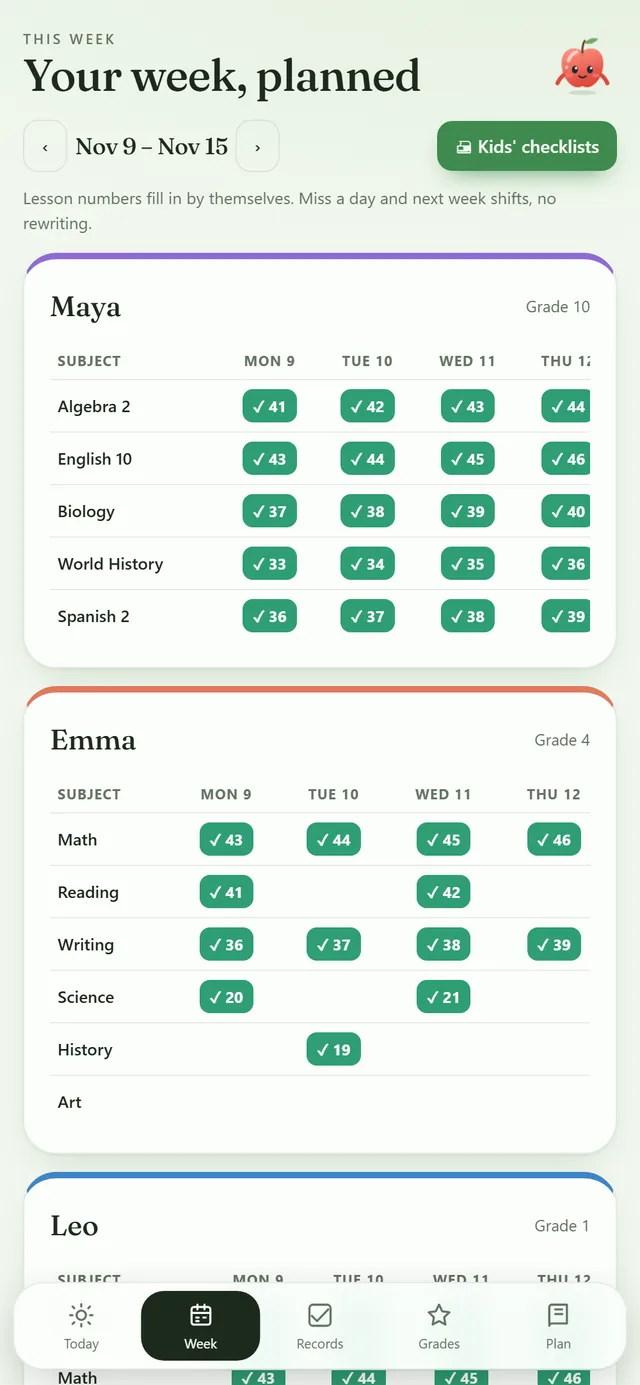
Add your children and subjects with the number of lessons and the days you teach them. Every lesson is numbered for you.

Miss a day? No rewriting

Lessons follow an order, not dates. Sick day, day off or a busy week: everything shifts on its own and next week is already planned.

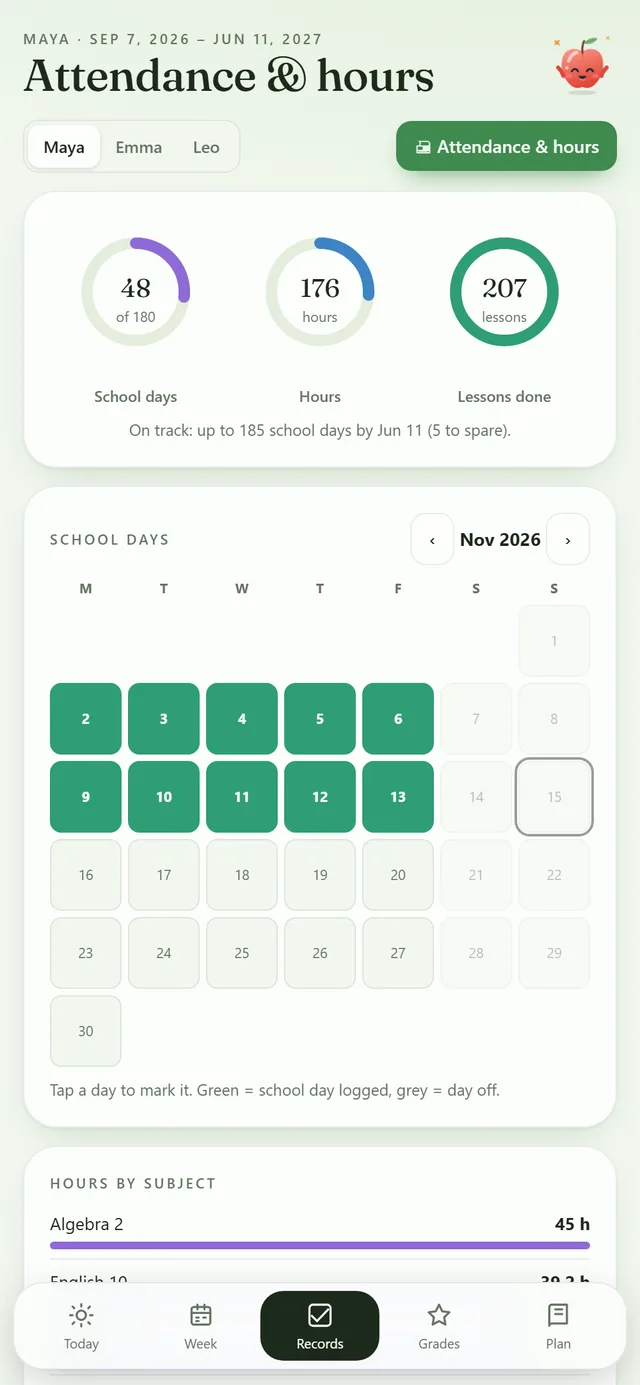
Attendance and hours, kept for you

Tick a lesson and it counts toward school days and hours. Field trips and co-op classes count too. Progress rings show 180 days or 1,000 hours.

Pace for every subject

See when each subject will finish, or how many lessons behind it is, so you can catch up early with an extra lesson.

Reports in one tap

Print weekly checklists for your kids, attendance and hours records, report cards and a high school transcript with GPA. No subscription.
Try our free homeschool hours calculator →

What is a web app?

An app that opens in your browser.

Homeschool Planner is a web app. You open your private link once in your browser, tap Add to Home Screen, and it gets its own icon and opens full screen like any other app. Your Etsy download is a PDF with the app access link. There is no app account or subscription. Records stay in your browser, with no automatic device sync. Offline use requires initial loading and caching; online features still need internet. Read the setup and backup guide.

FAQ

Questions about Homeschool Planner

What happens when we miss a day?

Nothing to fix. Lessons follow an order, not dates, so a sick day or day off simply moves every lesson to the next school day. Your week and pace update by themselves.

Does it track attendance and hours for my state?

Yes. Every lesson you tick counts toward school days and hours. Pick 180 days, 1,000 hours (600 core), 900 hours or your own goal and print the record any time.

Can I use it for several children?

Yes, up to 8 children, each with their own subjects, lesson counts, days and minutes.

Does it make a high school transcript?

Yes. Give subjects credits, add past courses and print a transcript with a 4.0-scale GPA. Report cards print for every grade.

Are these apps or spreadsheets?

Both are available as separate products. Browser apps open from an access link and use their own interactive interface. Spreadsheets open in Excel or Google Sheets. Each product page identifies the format.

What do I receive after buying an app?

Etsy provides a PDF containing the purchased app link and quick-start instructions. Open the link in your browser; no App Store installation or app account is required.

Is there a subscription?

The listed apps are one-time purchases on Etsy, with no app subscription. Check the Etsy listing for the current price and included product.

Where are app records saved? Do devices sync?

Records are saved in the browser on the device you use. There is no automatic cross-device sync. Export a backup before clearing site data or moving devices, then restore it in the same app.

More from CuteTrackerApp

Meet the family.