Finance

Paycheck Budget App

Budget by paycheck, not by month. A web app for phone and computer: no download, no account, no subscription.

  • One-time purchase
  • No subscription
  • Works offline
  • Private on your device
Paycheck Budget app screen

Paycheck Budget at a glance

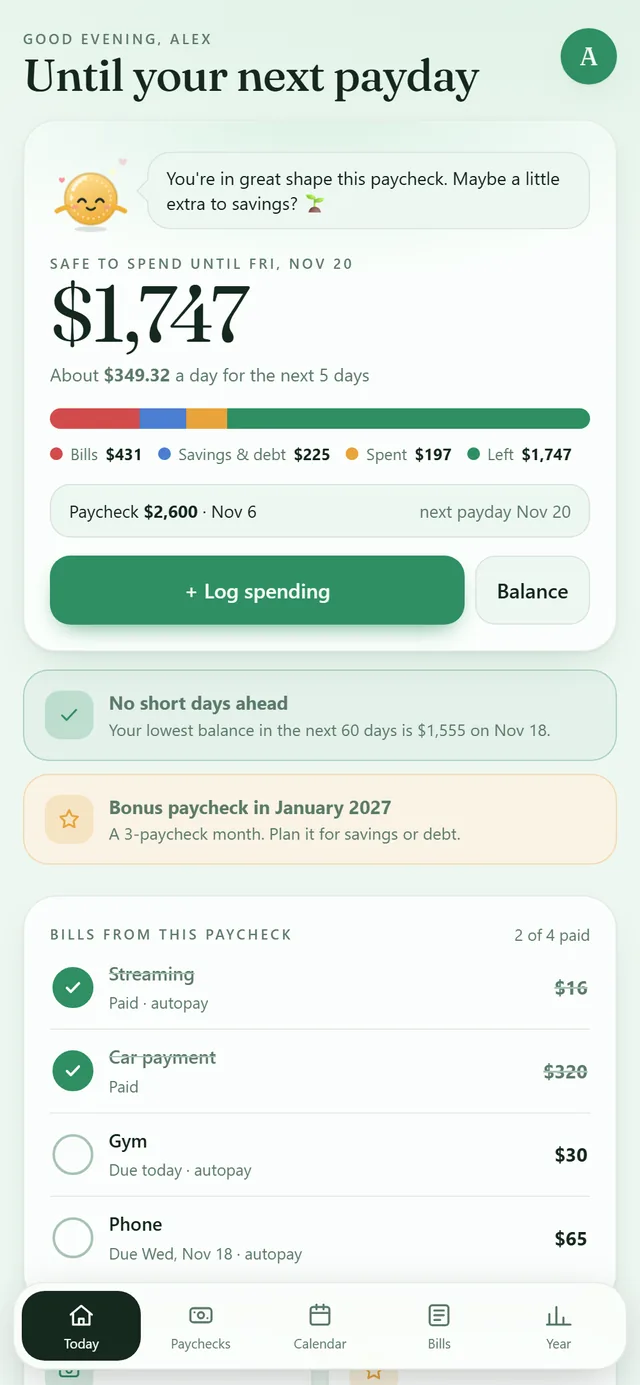
Match bills to paydays and estimate the money left until your next paycheck.

Format
Browser app for phone, tablet and computer
Purchase
One-time purchase on Etsy; a PDF provides the app access link
Records
Saved in this browser on this device; no automatic cross-device sync
Backup
Export a backup before clearing browser data or changing devices
How it works
Enter your income, balances and bills. There is no live bank connection.

Access, installation and backup help · App or spreadsheet: which fits?

On every screen

Your phone, your laptop, your call.

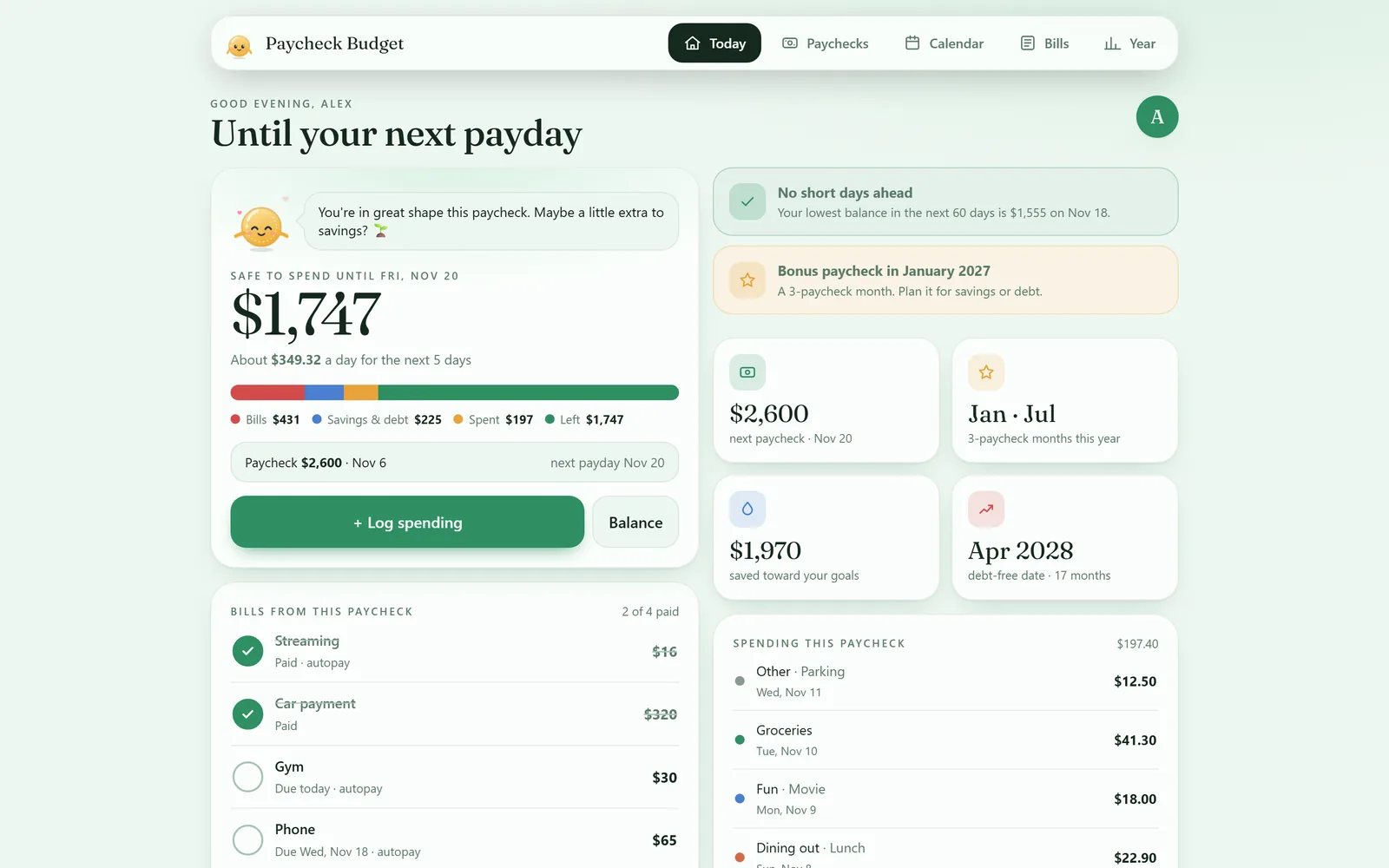
Paycheck Budget on a laptop
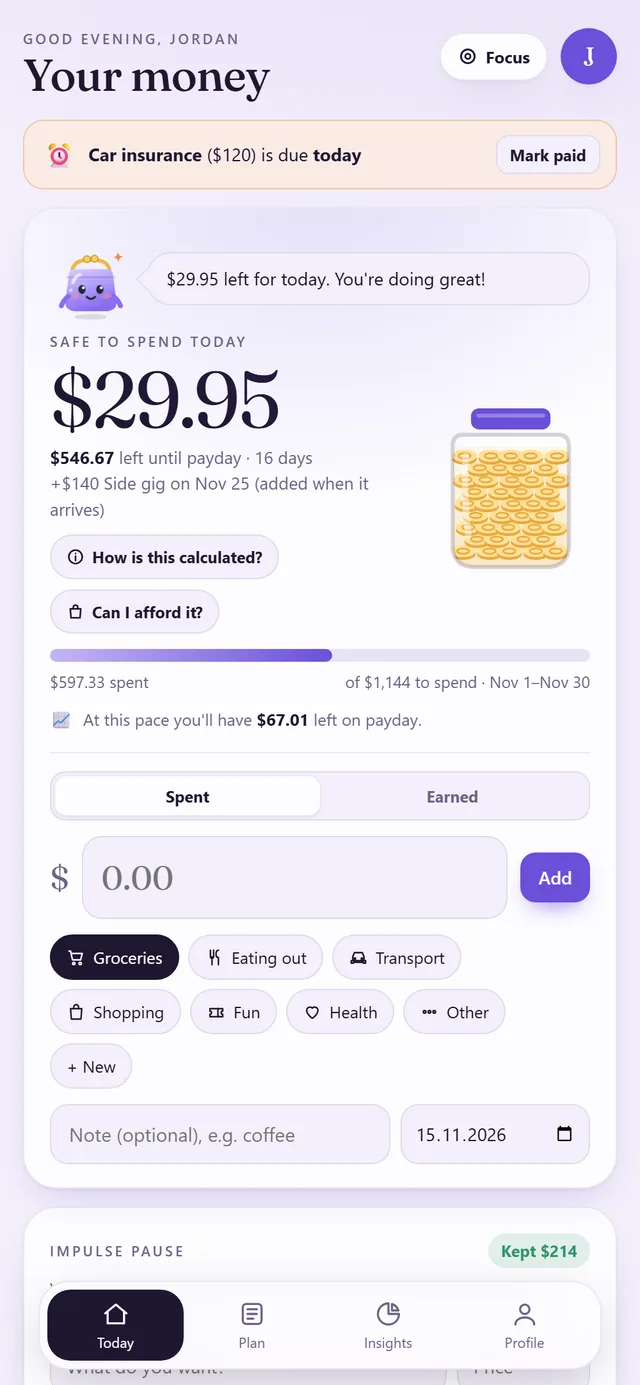
Paycheck Budget on a phone

About the app

Why you will love it.

Match bills to paydays and estimate the money left until your next paycheck. Enter your income, balances and bills. There is no live bank connection.

Meet Penny, your little money buddy. Tell it how you get paid and which bills you have, and every bill is matched to the paycheck that arrives before it's due. You always see what's safe to spend until your next payday, per day. A cash-flow calendar shows your balance day by day and warns you before a short day, and 3-paycheck months are marked so the bonus paycheck goes to savings or debt. Private, on your device, no bank login.

  • Bills matched to the right paycheck, automatically
  • Safe to spend until payday, per day
  • Cash-flow calendar with short-day warnings
  • Weekly, biweekly, twice a month or monthly pay
  • Bonus 3-paycheck months marked
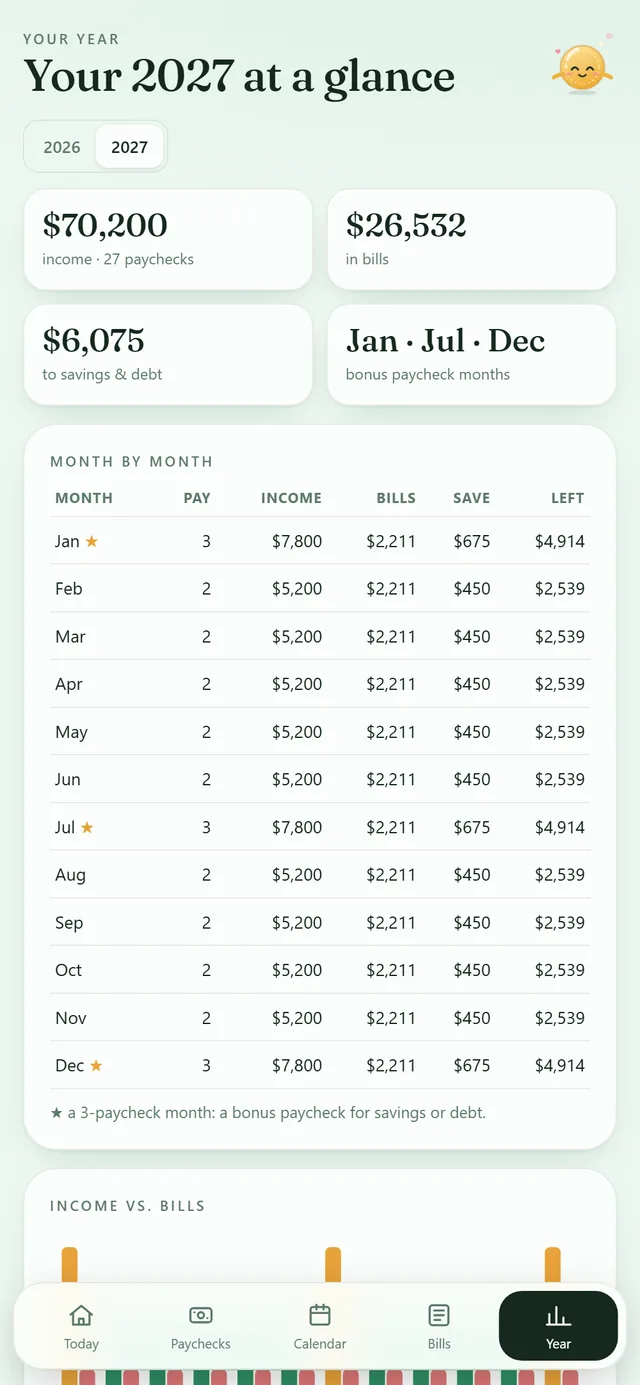
  • Savings goals, debt payoff and your whole year

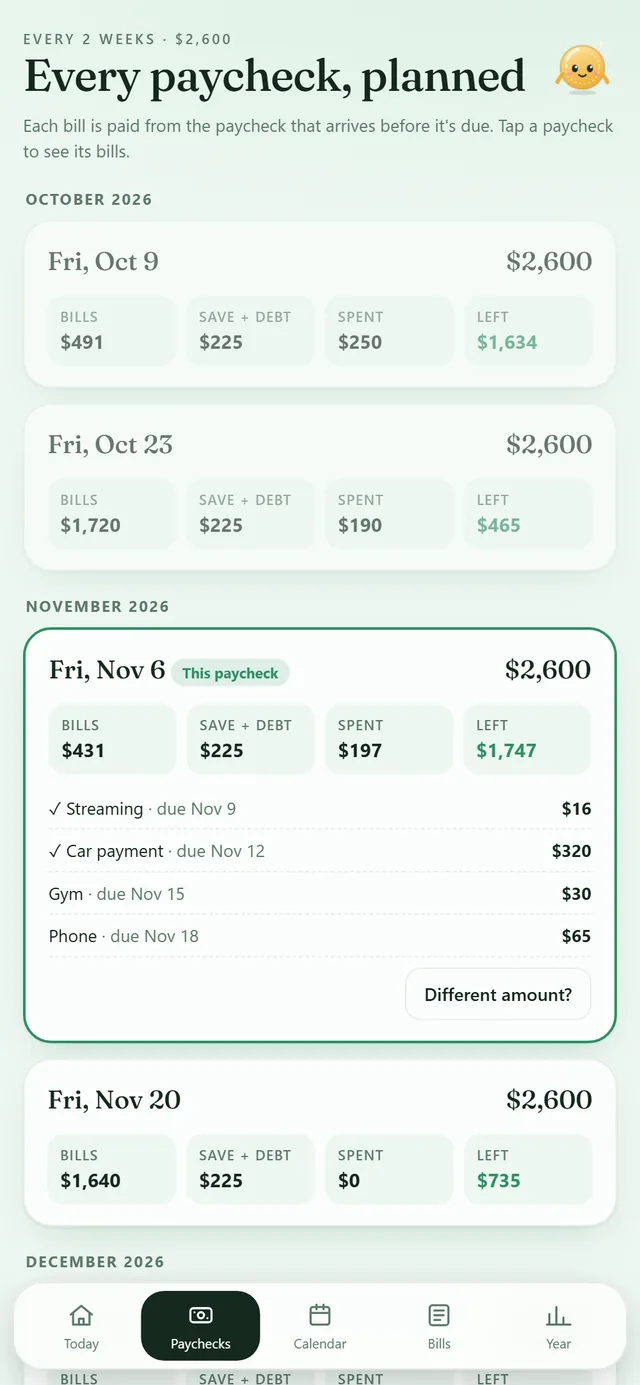
Bills matched to paychecks

Enter how you get paid and your bills. Every bill is paid from the paycheck that arrives before it's due, so nothing sneaks up on you.

Safe to spend until payday

Your paycheck minus its bills, savings and spending so far: what you can safely spend until the next payday, per day.

Will I run short?

A cash-flow calendar shows your balance day by day for the next 60 days and warns you before a short day, so you can move a bill or trim spending in time.

Bonus paycheck months

Paid every two weeks? Two months a year have three paydays. They're marked so the extra paycheck goes to savings or debt.

Goals, debt and your year

Savings goals with an amount per paycheck, a snowball debt payoff date and your whole year month by month. Private, no subscription.
Try our free paycheck budget calculator →

What is a web app?

An app that opens in your browser.

Paycheck Budget is a web app. You open your private link once in your browser, tap Add to Home Screen, and it gets its own icon and opens full screen like any other app. Your Etsy download is a PDF with the app access link. There is no app account or subscription. Records stay in your browser, with no automatic device sync. Offline use requires initial loading and caching; online features still need internet. Read the setup and backup guide.

FAQ

Questions about Paycheck Budget

How does it know which paycheck pays which bill?

You enter how often you get paid and one payday. The app works out every payday and pays each bill from the last paycheck that arrives before its due date.

What if my paycheck amount changes?

Tap any paycheck and set a different amount, for overtime, a bonus or fewer hours. Your plan updates right away.

Does it connect to my bank?

No. Nothing is connected to your bank. You type your balance and spending yourself, and everything stays on your own device.

What is a bonus paycheck month?

If you're paid every two weeks, two months a year have three paydays (five Fridays for weekly pay). The app marks them so you can plan that extra paycheck for savings or debt.

Are these apps or spreadsheets?

Both are available as separate products. Browser apps open from an access link and use their own interactive interface. Spreadsheets open in Excel or Google Sheets. Each product page identifies the format.

What do I receive after buying an app?

Etsy provides a PDF containing the purchased app link and quick-start instructions. Open the link in your browser; no App Store installation or app account is required.

Is there a subscription?

The listed apps are one-time purchases on Etsy, with no app subscription. Check the Etsy listing for the current price and included product.

Where are app records saved? Do devices sync?

Records are saved in the browser on the device you use. There is no automatic cross-device sync. Export a backup before clearing site data or moving devices, then restore it in the same app.

More from CuteTrackerApp

Meet the family.